How Chorish works
Family, chores, Week, Lists, streaks, rewards, games, and privacy — a closer look at each part.

Home
TopYour Private Chore HQ: Organize, Personalize, and Take Control
Every great team needs a home base—and with Chorish, your “home” is a private, customizable space for your family, housemates, or small team to manage chores, notes, and progress together. No more lost lists or forgotten tasks: everything you need is in one secure, easy-to-use iPad dashboard.

Why Set Up a Home in Chorish?
- Privacy First: Your home is 100% private—no sign-ups, no cloud, no tracking. All data stays on your iPad.
- Customizable: Add up to 4 members on free (owner + 3), each with their own fun avatar and name. Chorish Plus unlocks up to 6.
- Centralized Organization: Keep all your tasks, notes, and progress in one place on your iPad.
- Multiple Homes: One household comes free. Chorish Plus lets you manage more than one home if you’re a multitasker (e.g., family, roommates, and a side project team).
How It Works
- Create a Home: Name your home and you’re ready to go.
- Add Members: Invite your crew—family, flatmates, or teammates. Each gets a unique avatar and spot on the dashboard.
- Manage Everything: Add chores—assign helpers when helpful or leave them open—plus notes and events. Switch between homes with a single tap.
- Stay in Control: Only the home owner can access management features, keeping things organized and secure.
Example Use Cases
- Families: Keep everyone on the same page for chores, events, and reminders.
- Roommates: Fairly split cleaning, shopping, and bills—no more confusion or missed tasks.
- Small Teams: Manage shared office duties, project tasks, or even a club’s to-dos.
Pro tip: You can create a “home” for any group—think study groups, sports teams, or even a D&D party!
Frequently Asked Questions
Q: Can I have more than one home?
A: One home is included free. Chorish Plus unlocks multiple homes—switch between them easily from your dashboard.
Q: Is my home data safe?
A: Absolutely. All data is stored locally on your iPad and never leaves your device.
Q: How do I manage my home settings?
A: As the home owner, you can access management features from your member details. You can add members, create tasks, manage rewards, and more.
Family
TopAll Together Now: Effortless Family & Housemate Management
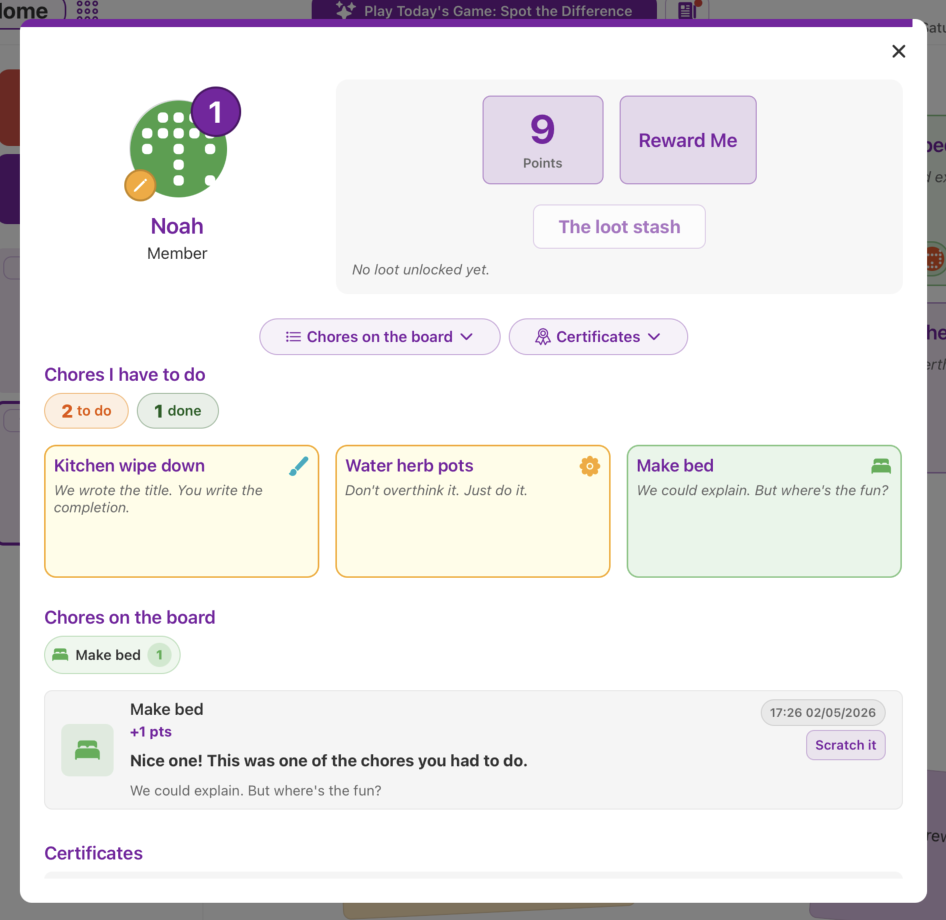
Keeping a household running smoothly can be a challenge, especially when everyone has a different schedule and priorities. With Chorish, you can add your family, housemates, or even a small team to a shared dashboard where everyone can see what needs to be done, jump in on open chores—or follow assignments when someone’s clearly on point—and celebrate wins together.
Why Use Chorish for Your Family or Housemates?
- No More Confusion: Everyone knows exactly what needs doing, and when.
- Personalized Experience: Each person gets their own fun avatar and name, making the dashboard feel like home.
- Transparency: See at a glance who’s done what, and who’s next up for chore glory.
- Motivation: Friendly competition and clear progress help keep everyone engaged.
- No Sign-Ups: No accounts, no emails, no passwords—just open and go.
How It Works
- Invite Members: Start with up to 4 people—perfect for most families, flatmates, or small teams. Upgrade to Chorish Plus for up to 6.
- Chores that fit how you actually run the house: Add daily tasks, leave some open for anyone to nab, assign members when clarity helps, or let Assign a chore roulette pick what’s still unassigned.
- Track Progress: As tasks are completed, everyone’s avatars light up with pride.
- Celebrate Success: View reports, keep a day streak, and maybe even reward the top chore champion!
Example Use Cases
- Families: Get kids involved in tidying up, feeding pets, or helping with dinner.
- Roommates: Fairly split cleaning, shopping, and bills—no more “I did it last time!” debates.
- Small Teams: Manage shared office duties or project tasks in a fun, visual way.
Did you know?
Studies show that clear, shared task lists reduce household stress and improve cooperation. Chorish makes it easy and even a little bit fun!
Frequently Asked Questions
Q: Can I use Chorish if my family isn’t tech-savvy?
A: Absolutely! Chorish is designed to be simple, touch-friendly, and optimized for iPad landscape mode.
Q: Is my data private?
A: 100%. All your data stays on your iPad—nothing is sent to a server.
Tip: Tap your avatar to start completing tasks and see your progress soar!
Tasks
TopOne list, flexible responsibility
With Chorish, chores stay simple: one shared list, optional assignments, and anyone can mark chores complete. Reset cadence is up to the home: daily (nightly reset) or manual (owner resets when ready) on free; weekly (start-of-week reset) comes with Chorish Plus. If enabled for the home, assignment resets follow the same cadence.
Free includes up to 9 chores per household; Chorish Plus unlocks up to 100.
Assignments are not a rigid schedule. They simply make responsibility clearer while you keep using chores the same way—browse the board, pick a chore to complete, or spin Assign a chore to give an unassigned chore an owner.
Want the whole week on one sheet? Flip to Week. For packing, guests, or shopping, use Lists.
Why Chorish chores feel good
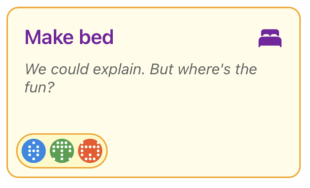
- Simple list, no jargon: Name a chore (and an optional note). You’re not juggling cycles or spreadsheets.
- Open by default: No assignees? No problem—whoever does the work taps and gets the credit.
- Clear when you need it: Assign one person as “on point,” or assign several helpers for shared jobs—whatever matches your household.
- Spin when you’re stuck: Assign a chore picks from chores with no assignee yet. Pick a chore to complete picks from chores still undone in the current view. Two spins, two different jobs.
- Progress you can feel: Choreboard points, completions, and (when you use assignments) what’s left for each person stay in sync without turning chores into paperwork.
How it works
- Add a chore: From the dashboard (+ Add a Chore), Manage → Chores, or Manage Tasks from your details—same cheerful list everywhere.
- Optional assignments: Owners edit a chore from Manage Tasks to choose zero, one, or several assignees. Chore tiles show who’s assigned when you’ve set someone.
- Anyone completes: Assigned or open—if someone’s doing the dishwasher, they select their avatar and tap the chore (or tap the chore and pick themselves in the panel).
- Fix slip-ups: Uncomplete same-day completions with a tap, or rely on Time Travel on past days—the flow doesn’t change whether a chore had assignees.
Example use cases
- Families: Kids see open chores they’re welcome to nab, while parents quietly assign who’s on bins this week—without forbidding siblings from jumping in early.
- Roommates: Most chores stay communal; noisy ones (“clean the hob”) can be assigned so expectation is explicit.
- Small groups: Shuffle responsibility with roulette when nobody wants to negotiate.
Frequently asked questions
Q: If I assign someone, can only they complete that chore?
A: Assignments mark who’s expected, not who’s allowed. Households decide the social rule; Chorish stays flexible so open grab-and-complete still works whenever you leave a chore unassigned.
Q: What’s the difference between “Pick a chore to complete” and “Assign a chore”?
A: Think of them as two different spins. Pick a chore to complete answers “what should we do next?”—it lands on a chore that’s still undone. Assign a chore answers “who’s on this?”—it lands on a chore with nobody assigned yet, then you tap who should take it. Finishing a chore and assigning someone are separate: uncompleting a chore doesn’t clear who’s assigned, and clearing an assignee doesn’t undo the completion.
Q: What’s an “unassigned” chore for assignment roulette?
A: It means no one is assigned to that chore yet. If every active chore already has an assignee, Assign a chore will show zero options—even if some chores are still not done.
Q: Does the spinner “rotate fairly” among people?
A: It picks randomly from the chores that fit the mode you chose. It doesn’t track “whose turn” over time—it only picks the next chore.
Week
TopSee the week clearly
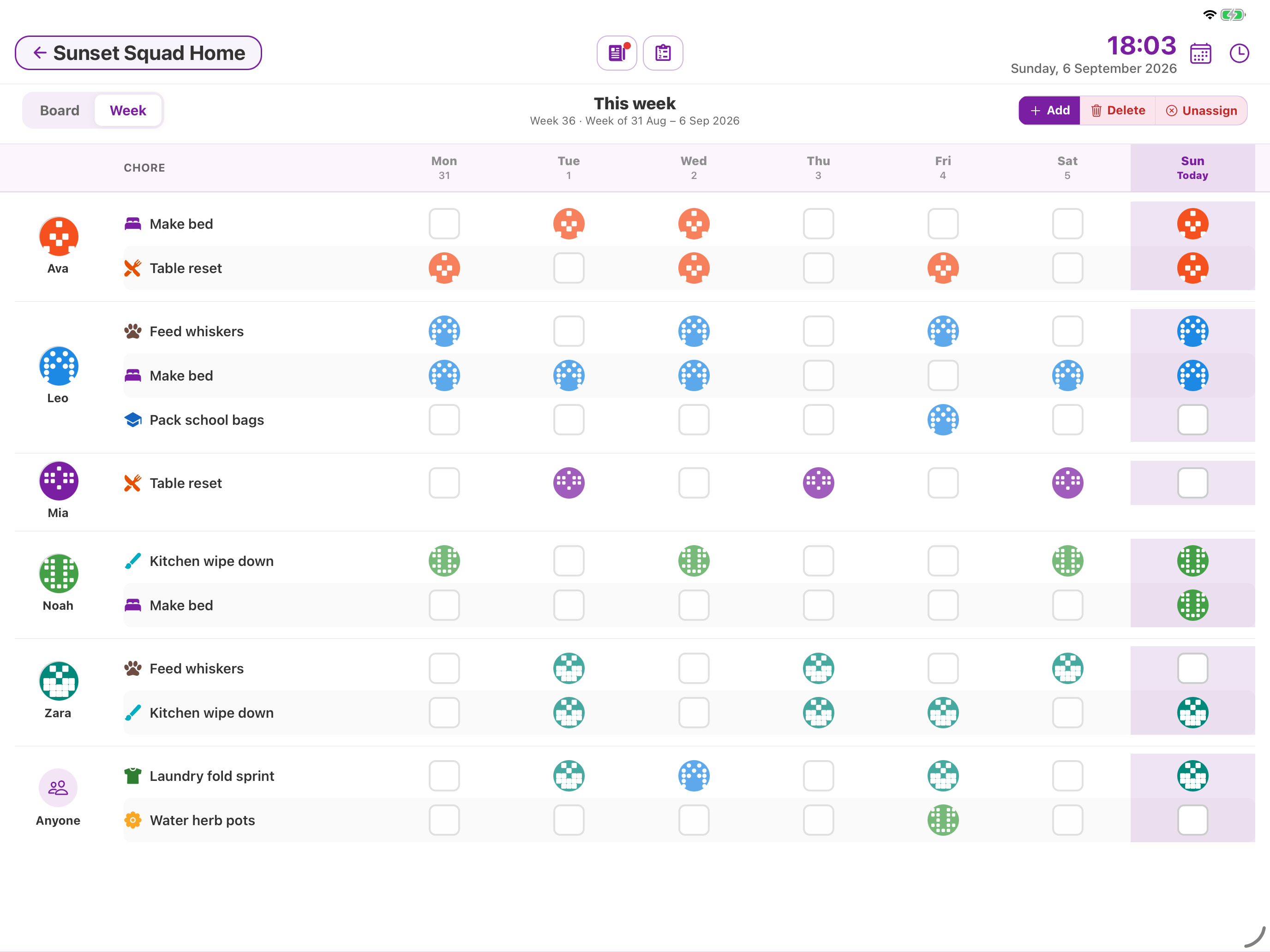
Week is a simple Monday-to-Sunday chart next to the dashboard you already know. Flip over to see who’s on what, with today highlighted. Tap a day to tick a chore off. Flip back to Board whenever you like — cards, notes, games, and jars stay put.
Week is part of Chorish Plus. See What is Chorish Plus?.
Why families love it
- The whole week at a glance — People, chores, and days on one sheet.
- Today stands out — The current day is highlighted so you know where you are.
- Board is still there — Flip back anytime for cards, notes, games, and jars.
- Look back — Step through earlier weeks. You can look, not change.
How it works
- On the dashboard, tap Week (next to Board).
- Tick chores off day by day. Use Add, Delete, and Unassign on this week when you need to tidy the list.
- Use the arrows to look at previous weeks, or Go to this week to come back.
- Tap Board anytime to get back to the usual dashboard.
Want the step-by-step? See How does Week view work?.
Packing, guests, and shopping go on Lists, not on this chart.
Example use cases
- Sunday night scan — Flip to Week and see who’s light on chores before the week starts.
- Busy weekdays — Tick off Mon–Fri on the chart without hunting through cards.
- Housemates — Your own rows for assigned jobs; shared ones sit under Anyone.
- Look back — Flip to last week to see what got done, then Go to this week.
Frequently asked questions
Q: Does Week replace Board?
A: Board stays put. Flip to Week when you want the whole week on one sheet, then flip back whenever you like.
Q: Do we need Chorish Plus for Week?
A: Yes. Week is included with Chorish Plus — a one-time unlock in the app, not a subscription.
Q: Is this the same as Time Travel?
A: Time Travel lets you fix a past day on the Board. The arrows on Week step through earlier weeks, so you can see what got done. You can’t change those weeks.
Q: What if a chore isn’t assigned to anyone?
A: It shows under Anyone, so it’s still on the chart. Anyone in the house can still do it.
Lists
TopChecklists beside the chores
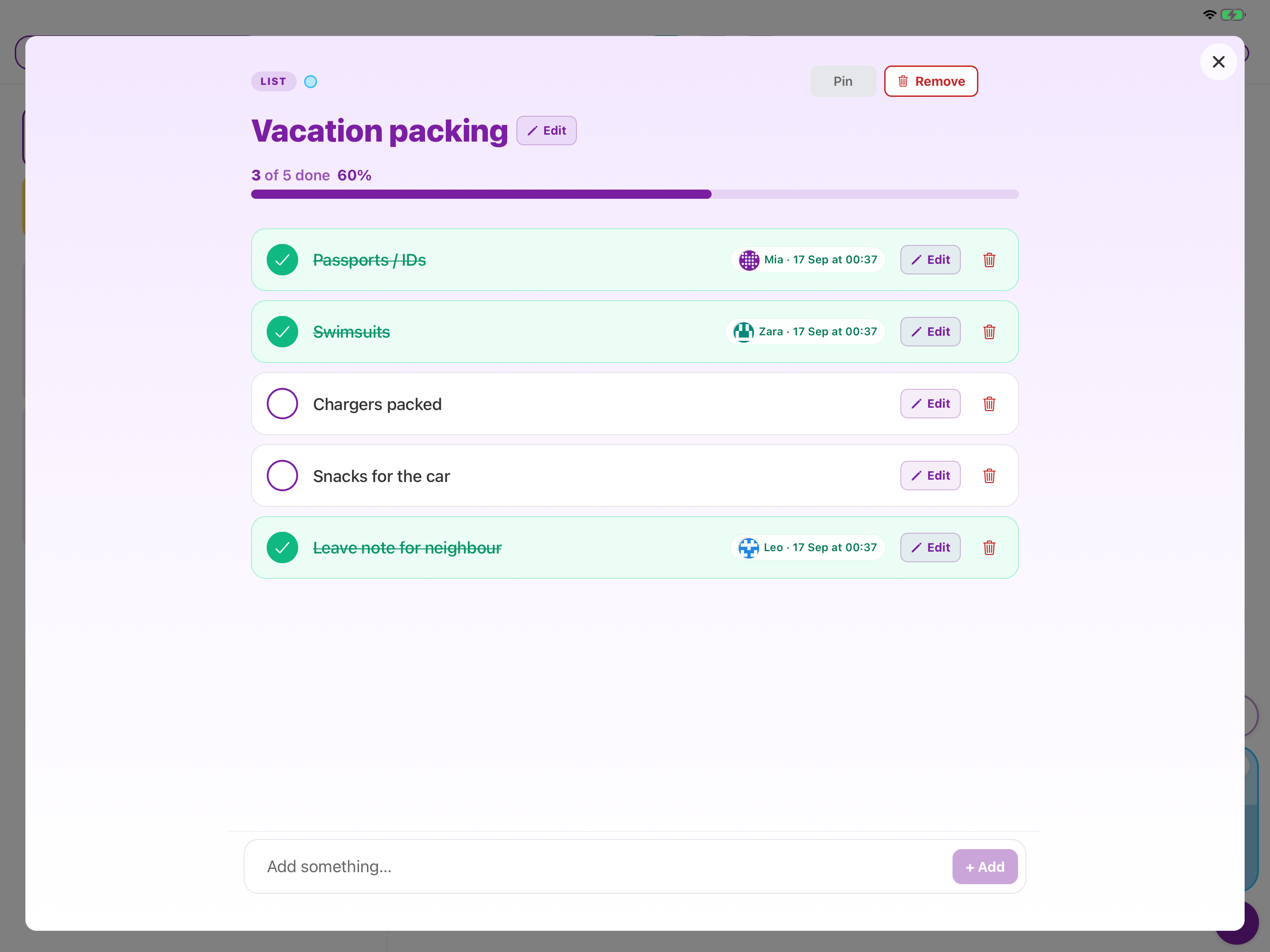
Lists sit beside Board and Week for the things that aren’t everyday chores — packing, guests, shopping. Tick an item and you’ll see who did it, and when.
One list is included free, with up to 10 items. Chorish Plus adds more lists, and a due date on each one. See What is Chorish Plus?.
Why families love it
- Next to the dashboard — Your lists stay on the right of Board and Week.
- Off the chore board — A packing list doesn’t show up with the dishes.
- Who did it — Each tick shows who finished it, and when.
- Room for more — Plus lets you keep several lists going, and add a due date.
How it works
- On the right of the dashboard, tap + to start a list.
- Add items, then tick them off and pick who did it.
- Open Manage → Lists to rename a list, remove it, or bring it back.
- With Chorish Plus, add more lists and set a due date.
Want the step-by-step? See How do Lists work?.
Example use cases
- Before a trip — Passports, chargers, and snacks on one packing list.
- Guests coming — Guest room, sheets, cake — separate from Monday’s chores.
- Shopping — Anyone can tick an item, and you can see who got it.
- When you’re done — Remove the list, and bring it back the next time you need it.
Frequently asked questions
Q: Do Lists replace chores or Week?
A: Everyday chores stay on Board and Week. A list is for the one-off things, like packing or a shop.
Q: Do we need Chorish Plus for Lists?
A: One list is free. More lists, and due dates, come with Chorish Plus — a one-time unlock in the app.
Q: Does ticking an item count as a chore?
A: You’ll see who did it and when. It doesn’t add to Streaks, the Choreboard, or points.
Q: Does a due date send a reminder?
A: The date shows on the list. Chorish doesn’t remind you.
Progress
TopProgress You Can See: Motivation and Chore Champions
Staying motivated with chores is easier when you can see your progress and celebrate your wins. Chorish gives you a clear, visual dashboard to track everyone’s efforts and keep the whole team engaged. Whether you’re a family, a group of housemates, or a small team, our progress tools help you stay on track and have fun along the way.

Why Track Progress with Chorish?
- Visual Dashboards: Instantly see who’s completed what and how many chores are left for the day. Flip to Week when you want the whole week at once.
- Leaderboard: Friendly competition motivates everyone to pitch in and do their best.
- Simple Reports: Free includes today’s overview. Chorish Plus adds multi-day reports you can export for your records.
How It Works
- Complete Tasks: As members finish chores, their progress is updated in real time.
- Check the Leaderboard: Top performers get bragging rights and maybe even a treat!
- View Reports: Get today’s overview for free, or look across multiple days and export reports with Chorish Plus.
Example Use Cases
- Families: Motivate kids with friendly competition for “Chore Champ of the Week.”
- Roommates: See who’s pulling their weight and keep things fair.
- Teams: Track group progress, celebrate milestones, and keep everyone engaged.
Motivation: Who will be this week’s Chore Champ? Use the leaderboard to inspire a little friendly rivalry!
Frequently Asked Questions
Q: Can I see progress for specific members?
A: You’ll see everyone’s progress on the dashboard and leaderboard. Reports show a simple summary of activity for the whole group.
Q: Are there streaks or achievements?
A: Yes — Streaks tracks consecutive calendar days of showing up. See Streaks. The Choreboard is still the friendly “who’s pitching in” view for the current period.
Q: Is the leaderboard fair?
A: Absolutely. Only completed tasks count, and you can see the full audit trail for transparency.
Streaks
TopKeep the Streak Going
Streaks is a simple day chain: consecutive days someone actually did a chore. The chore list can reset daily or weekly — the streak still cares about today.
It’s different from the Reward Jar, which hands out individual treats, and the Goal Jar, which is one big prize for the whole house. Streaks is the little reason to pitch in again tomorrow.
Day streaks are included free. Chorish Plus adds household goals, a freeze for a tough day, and printable certificates — see What is Chorish Plus?.
Why Families Love It
- Today counts: One chore is enough to keep the chain going — even after someone else has already marked it done.
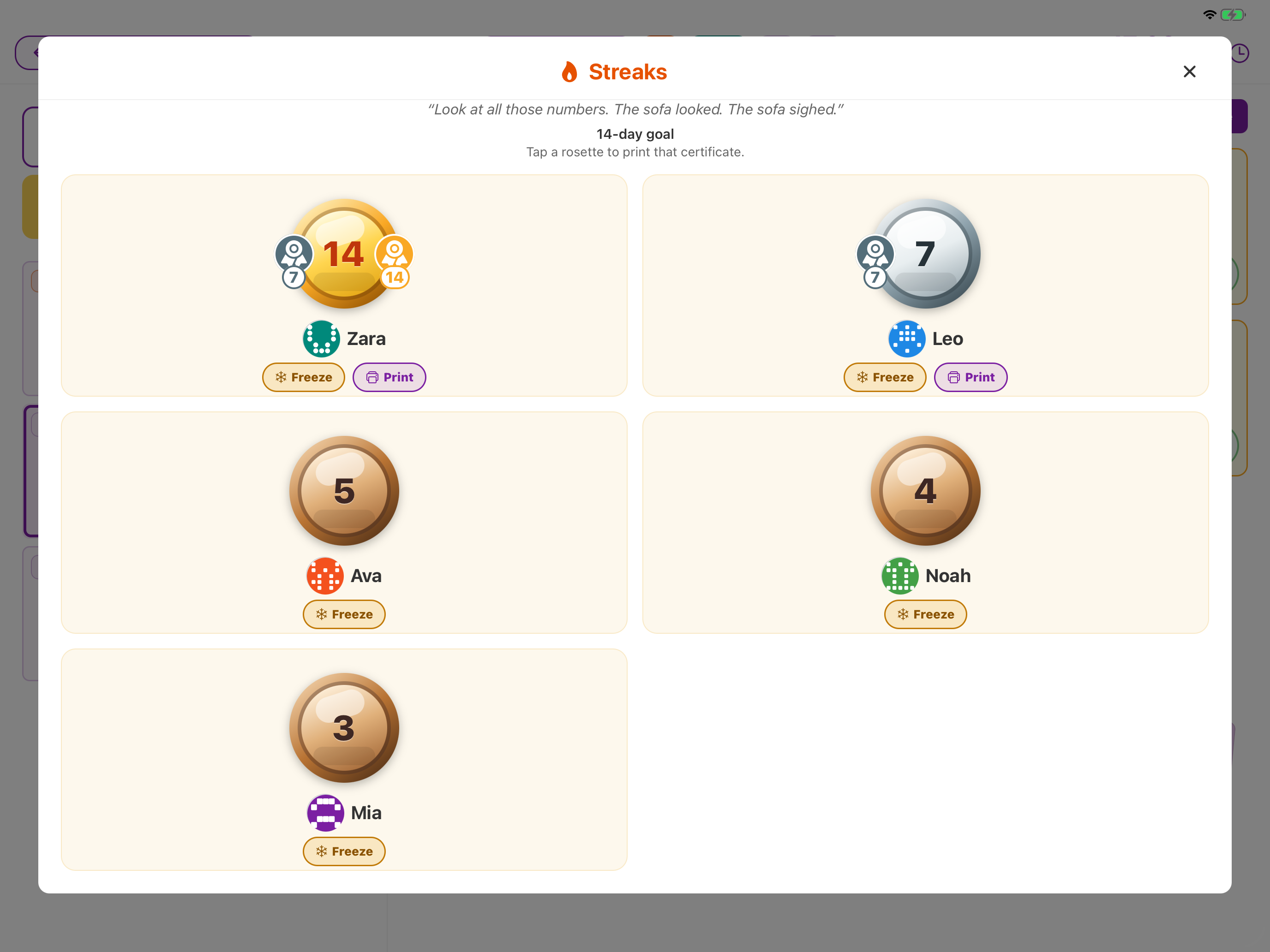
- Easy to see: A flame on their card, medals on the Streaks board — bronze, silver, then gold as the chain grows.
- Works on free: Day streaks are on by default. No unlock required to see them. Owners can turn Streaks off in Manage if they want a simpler dashboard.
How It Works
- Do a chore — the first one today extends the streak.
- See it grow — from day 2, a flame appears on their member card. Tap Streaks (beside Choreboard and Gameboard) for the household medals.
- Keep it going — miss a full day and the chain resets. The Streaks board still shows their last run so they can jump back in.
- Celebrate with Plus — set a household goal (7, 14, or 30 days), tap Freeze to cover today if you need a pass, and print a certificate when they hit it.
Need a pass? Tap Freeze to cover today. Miss a day without it and the chain resets.
Streaks vs Goal Jar vs Reward Jar
| Streaks | Goal Jar | Reward Jar | |
|---|---|---|---|
| Who | One person | The whole household | One person |
| What it is | Consecutive days with a chore done | Marbles toward one shared prize | Individual treats |
| Free | Day streaks + Streaks board | — | Select a treat |
| Chorish Plus | Goals, freeze, print, history | Full Goal Jar | Spin the wheel |
Frequently Asked Questions
Q: Does this use points?
A: No. Streaks is a day chain, not a spend. With Chorish Plus you can optionally credit points at streak milestones if Rewards is on.
Q: What if the chore is already done?
A: Anyone can still complete it. Each person’s own tap counts for their streak. Miss a day without tapping Freeze (Plus) and the chain resets.
Q: What if they miss a day?
A: The chain resets. The Streaks board (and Details) still show their last run — Last streak was N days / Jump back in — so they can start again. Goal rosettes they’ve already earned stay on the card.
Q: Can I turn Streaks off?
A: Yes. Owners can turn Streaks off in Manage → Streaks for a simpler dashboard. Stored streaks stay, and you can turn them back on anytime.
Q: Is this a ranking?
A: Each person has their own day chain. The Streaks board shows everyone’s medals together — it isn’t scored first to last.
Rewards
TopTurn Chores Into Points, Points Into Rewards
Who says chores can’t be fun? With Chorish, completing chores earns points—and with Chorish Plus, those points unlock household rewards set by you. It’s motivation without nagging—a simple game loop that helps families build routines that actually stick.
Kids earn points for free — upgrade to Chorish Plus so they can cash in on screen time, treats, and prizes you choose. For a shared family prize (not points), see Goal Jar.

How Rewards Work
Free:
- Earn Points: Every completed chore earns points when rewards are turned on. See your balance grow as you tackle tasks.
- Track Progress: Points show on member cards and the Choreboard—great for habits and visibility.
With Chorish Plus:
- Redeem Rewards: Use your points to claim rewards from your household’s reward catalog—set by the owner.
- Owner Control: Owners decide what rewards are available, their costs, and whether bigger rewards need approval.
- Flexible Setup: Rewards can be unlimited or limited with daily/weekly resets. Perfect for “pick dinner” or weekly treats.
Why Families Love Rewards
- Less Nagging: Points create natural motivation—even on free, no need to remind kids (or roommates) what needs doing.
- Clear Goals: Everyone can see their points and what they’re working toward.
- Fair and Flexible (Chorish Plus): Owners control the system, but members can claim instant rewards or request bigger ones.
- Built for Real Life (Chorish Plus): Daily resets for recurring rewards, weekly resets for special treats—matches how families actually operate.
How It Works
- Complete Chores: Every chore you finish earns points automatically (free).
- Check Your Points: See your current balance right on your member card (free).
- Browse Rewards (Chorish Plus): Tap into the rewards catalog to see what’s available.
- Claim Instantly (Chorish Plus): Low-cost rewards redeem immediately—no waiting!
- Request Approval (Chorish Plus): Bigger rewards need owner approval (with optional PIN protection).
Example Rewards (Chorish Plus)
- Daily Pick: “Choose dinner” (limited to 1, resets daily)
- Weekly Treat: “Trip for ice cream” (limited to 1, resets weekly)
- Activity Slots: “Extra screen time” (limited to 4, resets weekly)
- Instant Rewards: “Choose the movie” (unlimited, instant claim)
Owner Controls (Chorish Plus)
- Enable/Disable: Turn rewards on or off for your home anytime.
- Set Approval Rules: Require owner approval for rewards above a certain point cost.
- Optional PIN: Protect approvals with a dedicated rewards PIN.
- Manage Inventory: Replenish limited rewards manually or let them auto-reset daily/weekly.
- Reset Points: Reset points per member or for the whole home when needed.
Important: Chorish tracks chores, points, and redemptions. Reward fulfillment is always managed by the household owner.
Frequently Asked Questions
Q: Can I earn points without Chorish Plus?
A: Yes! Chores earn points on the free version—great for building habits and seeing progress. Redeeming rewards from your catalog needs Chorish Plus.
Q: Can I turn rewards off if it’s not working for us?
A: Absolutely! Owners can disable rewards for a home anytime. Points and history are preserved, but redemption is hidden until you turn it back on.
Q: What if points get out of hand?
A: Owners can reset points per member or for the whole home anytime. You can also adjust reward costs and rules as you learn what works for your household.
Q: Do kids need my approval for every reward?
A: No! You set an approval threshold. Low-cost rewards redeem instantly for momentum, while bigger rewards require your approval.
Q: Is the approval process secure?
A: Yes. You can set a dedicated rewards PIN to protect approval actions. PIN is optional—you can approve without it if you prefer.
Q: What happens if a reward runs out?
A: Limited rewards show as unavailable when inventory is depleted. Owners can replenish manually anytime, or set them to auto-reset daily or weekly.
Q: Can I see who redeemed what?
A: Yes! Reports show all redemption activity, point balances, and reward history. Perfect for keeping track of what’s been claimed.
Goal Jar
TopOne Prize. Whole House. Fill the Jar Together.
The Goal Jar is Chorish’s shared marble jar — the classic family motivator, built for the kitchen iPad. Pick one prize for everyone (Pizza Friday, a day out, movie night), drop a marble when the house earns it, and celebrate when the jar fills up.
It’s different from the Reward Jar, which hands out individual treats. Goal Jar is the big win you all share. For a day-by-day chain, see Streaks.
Goal Jar is part of Chorish Plus. On free you’ll see teasers that invite you to unlock — see What is Chorish Plus?.
Why Families Love It
- Shared progress: Kids see the jar fill on the dashboard — motivation without points or nagging.
- Owner-judged: You decide when the house earns a marble (teamwork, a clear board, everyone helped).
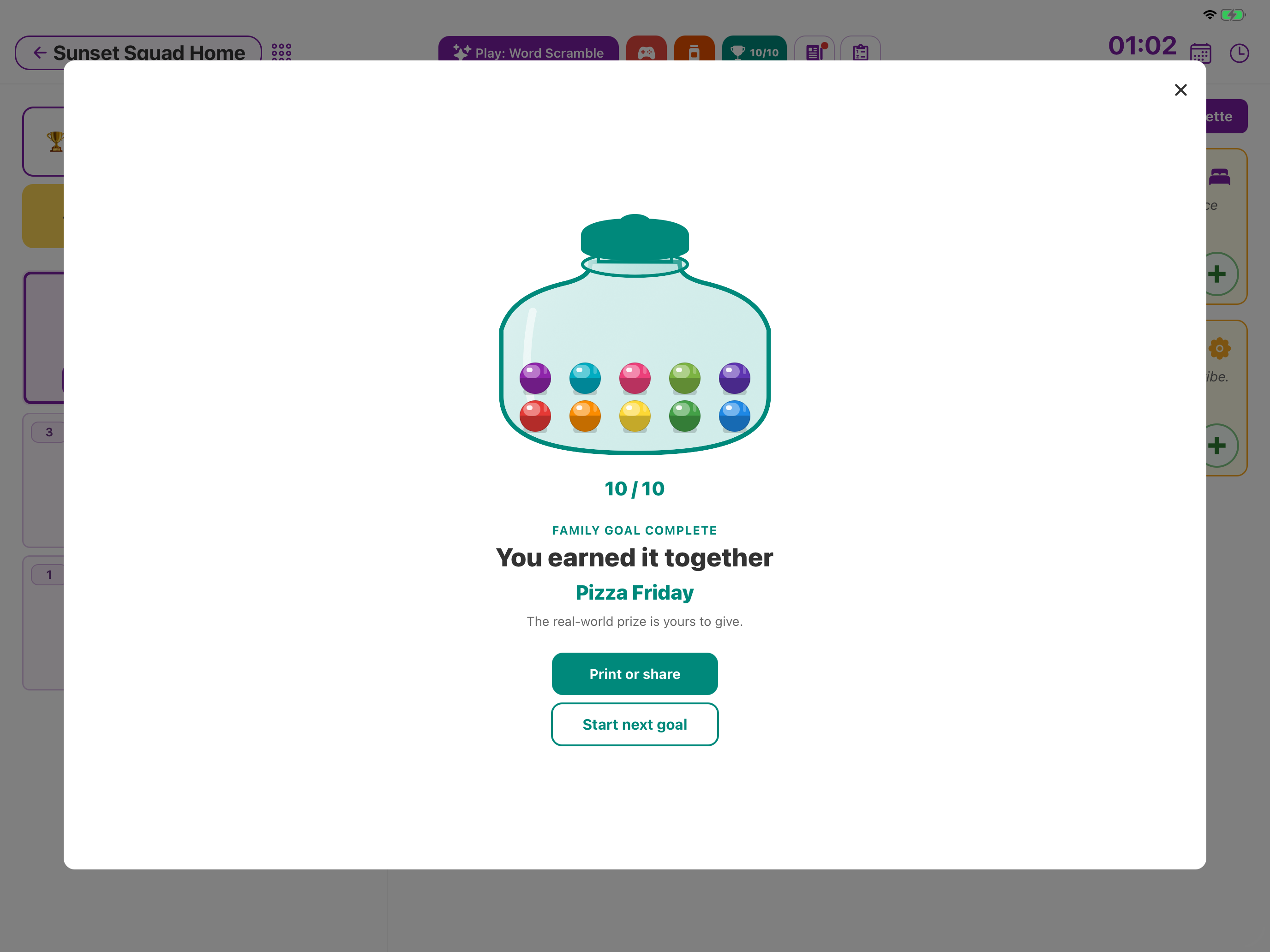
- Real-world prize: Completing the jar marks the prize as earned; you hand it out in real life.
- Keepsake: Print or share a Goal Jar certificate when you celebrate.
How It Works
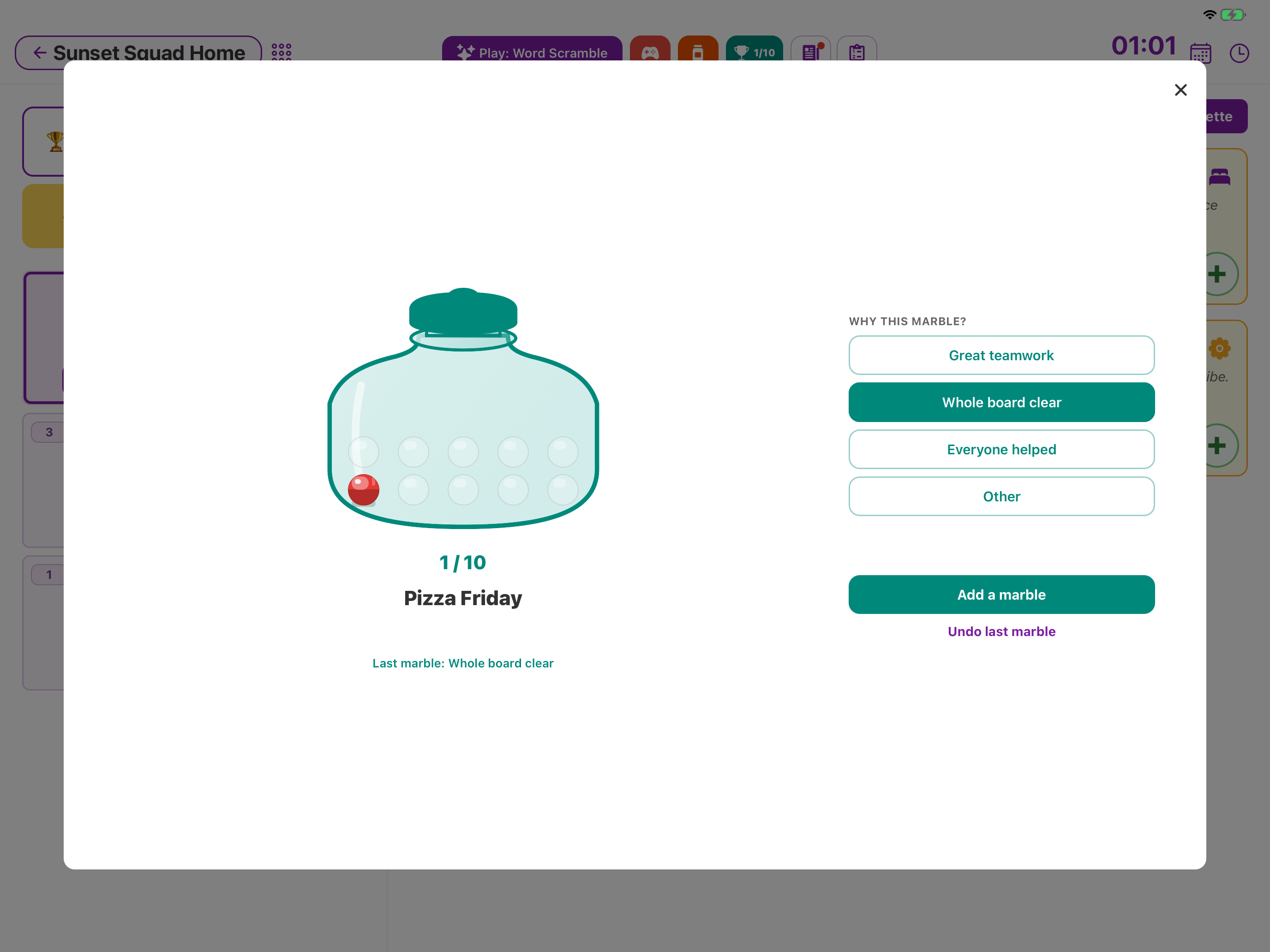
- Set a family goal — name the prize (e.g. “Pizza Friday”), optional note, and how many marbles to fill (5, 10, or 15).
- Add marbles — when the house earns one, pick a reason and tap Add a marble.
- Watch it fill — ambient progress on the dashboard (e.g. 7/10) keeps everyone in the loop.
- Celebrate — when the jar is full, tap Celebrate! then Print or share if you want a certificate, or start the next goal.
Goal Jar vs Reward Jar
| Goal Jar | Reward Jar | |
|---|---|---|
| Who wins | The whole household | One person |
| What you give | One big shared prize | Individual treats from your catalog |
| Points | None | Grants don’t spend points |
| Needs Chorish Plus | Yes (full use) | Select on free; Spin needs Plus |
Frequently Asked Questions
Q: Who can add marbles?
A: Only the home owner. Members can watch progress, but they don’t drop marbles themselves.
Q: What if we need to change the goal?
A: Owners can replace the goal — progress on the old one is discarded and won’t show in history. Finished goals stay in history until you clear them.
Q: Does this use points?
A: No. Goal Jar is separate from points and Reward Me. Chores and points keep working as usual.
Games
TopA quick game after chores
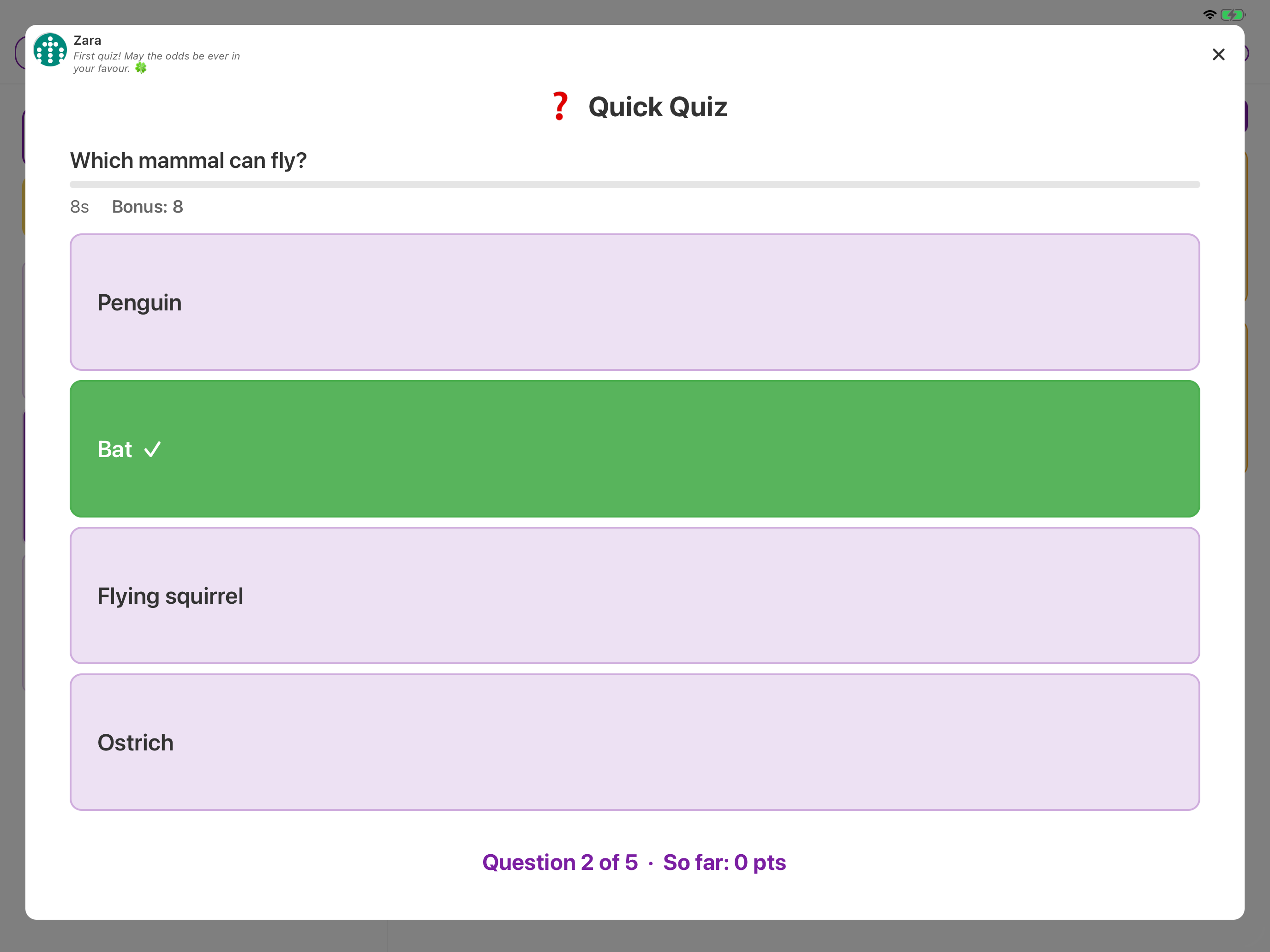
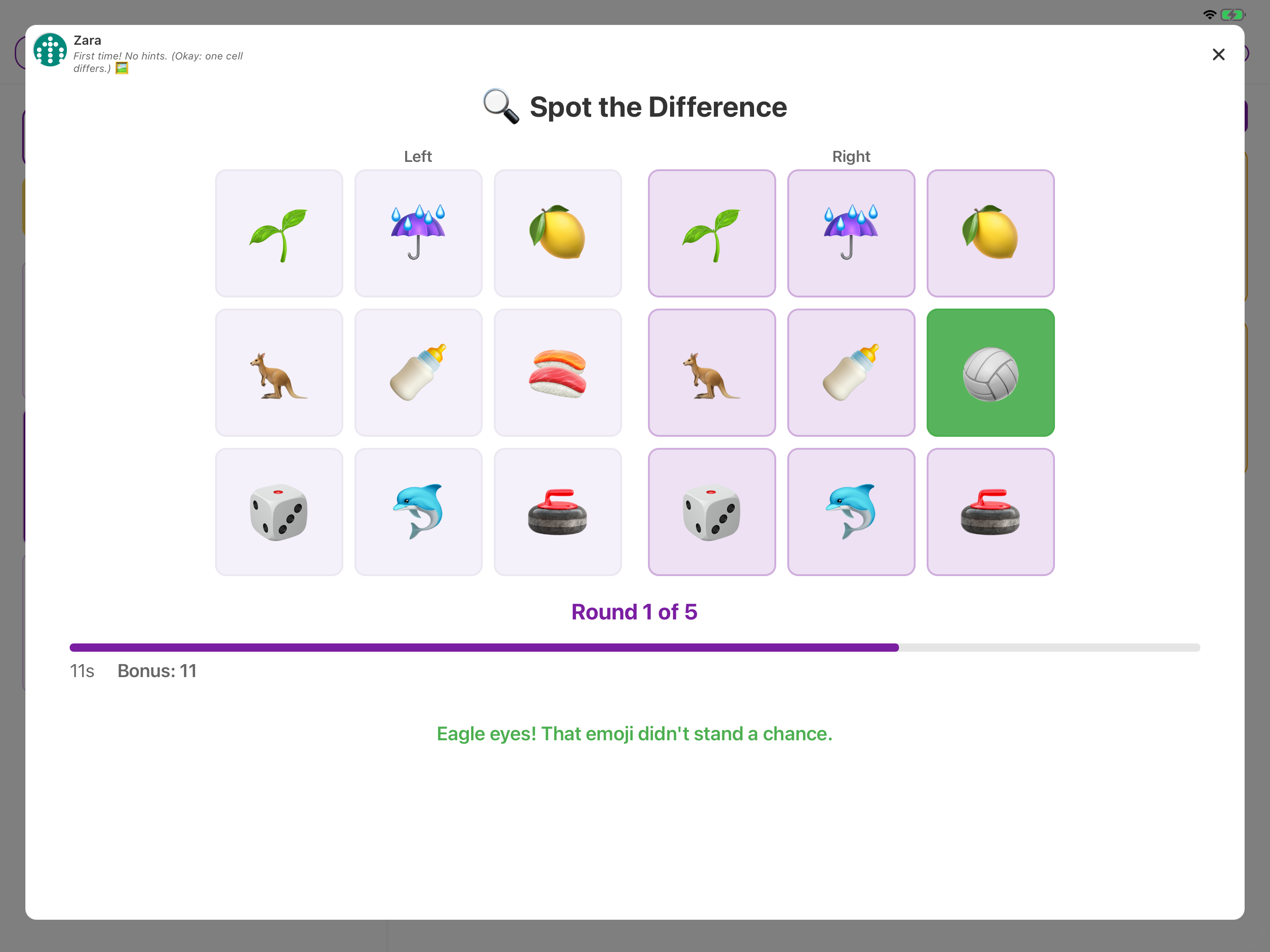
Finish a chore, then tap Play Today’s Game on the dashboard. If nobody is selected yet, pick who is playing first. Kids tap an answer, a tile, or a letter — no typing.
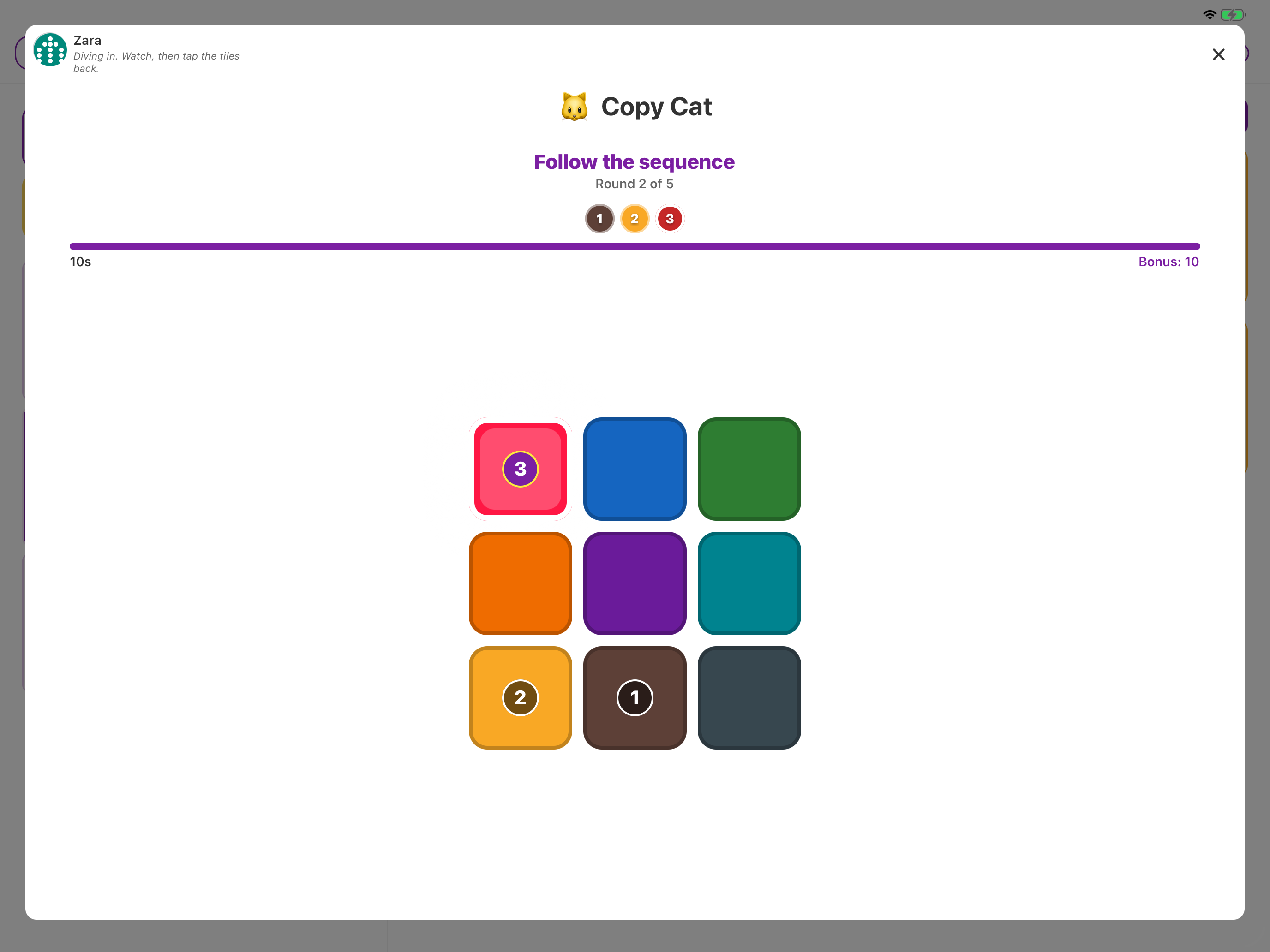
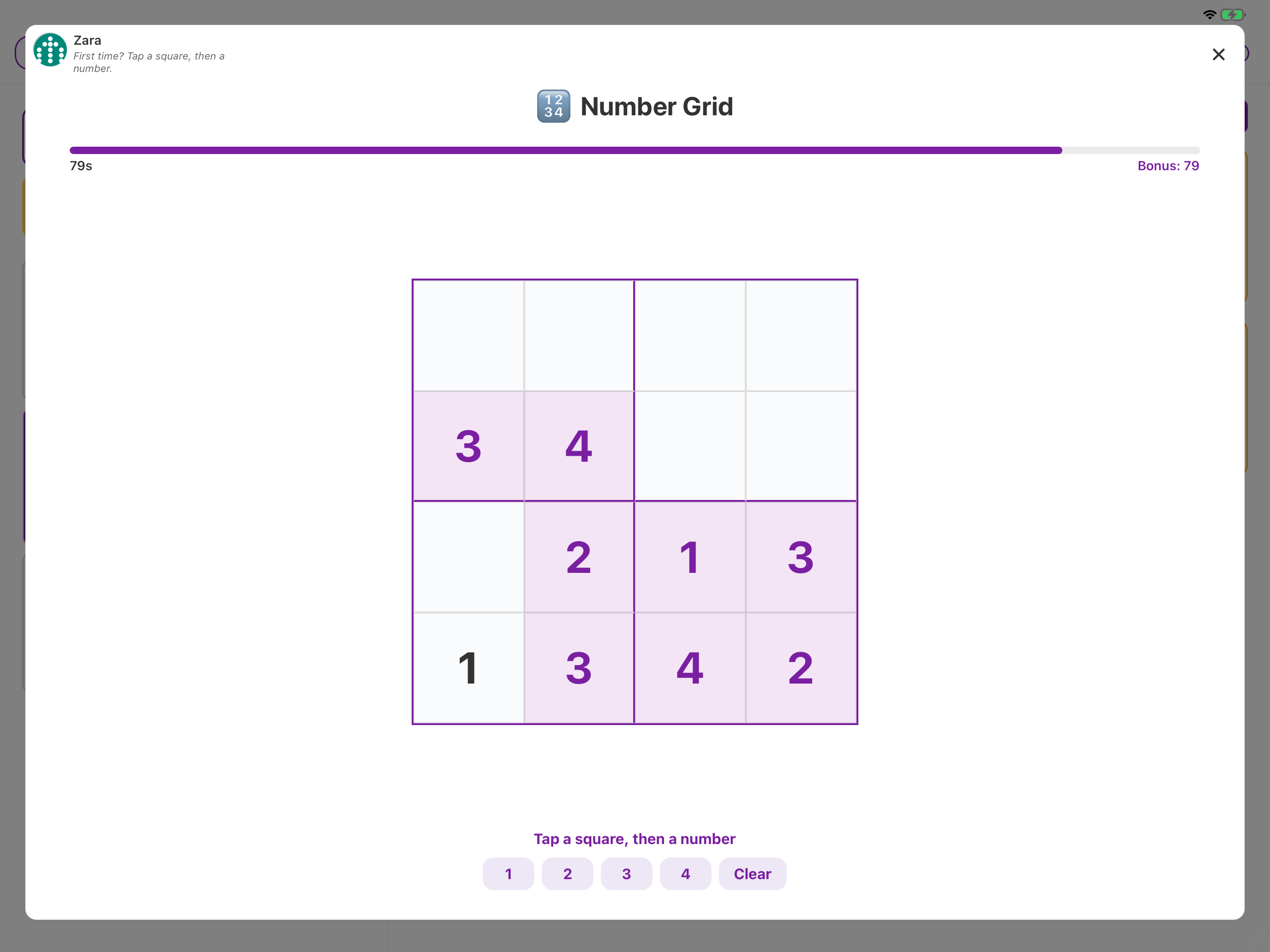
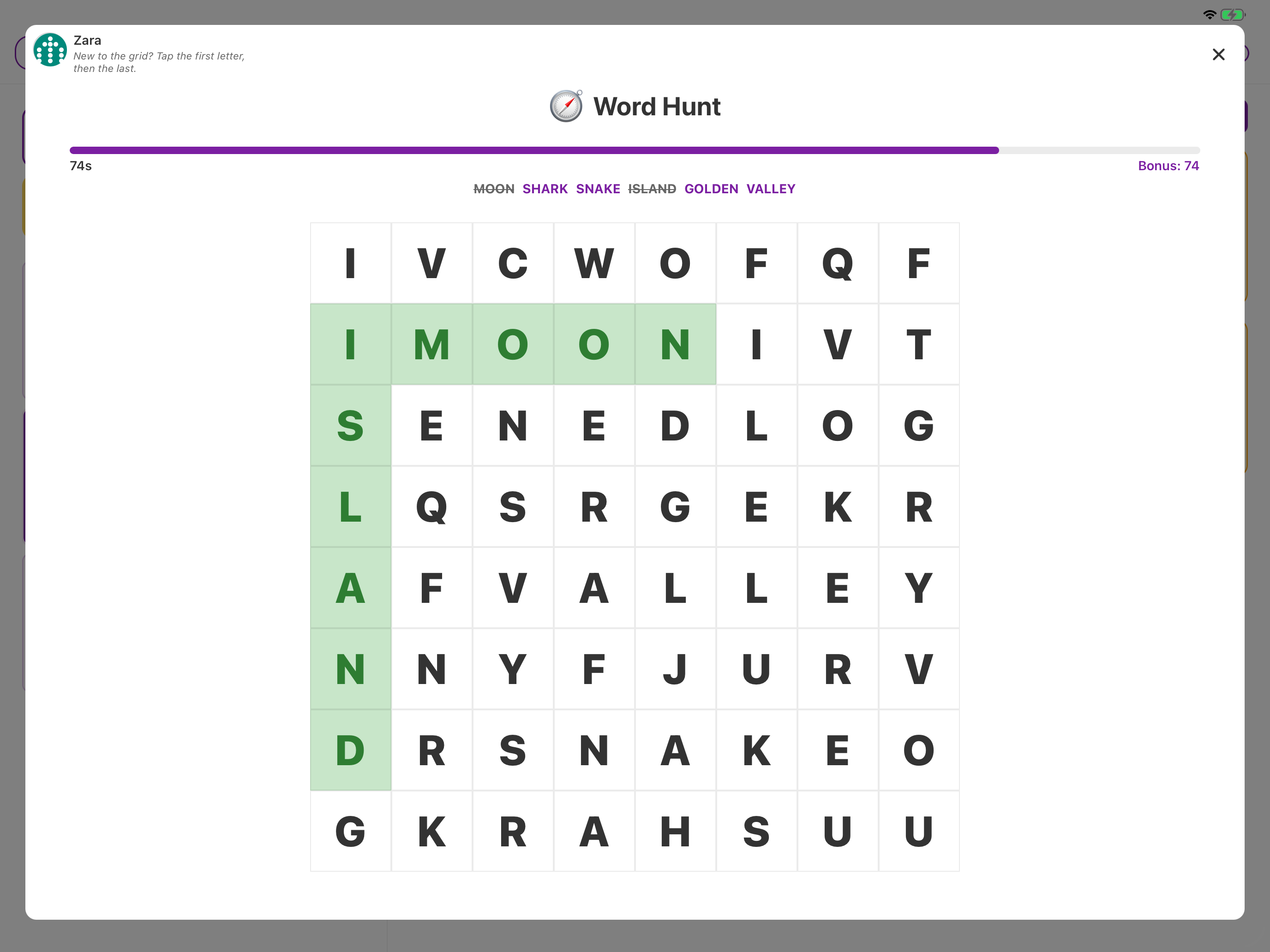
Six games come with the free download. Chorish Plus adds Copy Cat, Number Grid, and Word Hunt, and extra options for the games you already have.

Why families like it
- Quick: A minute or two between chores — then back to the board.
- On the same iPad: No extra apps, and no internet.
- Easy to follow: Tap Start playing when you’re ready. The clock waits.
- Fair scores: Most games give 1 point plus a time bonus that shrinks as the clock runs. Faster play wins. Reaction Test is the odd one out — the best time wins.
How it works
- Tap Play Today’s Game on the dashboard.
- Pick who’s playing if you need to.
- Tap Start playing — the clock starts then, not before.
- When you’re done, tap Back to Dashboard or Play again. Scores show on the Gameboard, next to Choreboard and Streaks.
Want the step-by-step? See How do games work?.
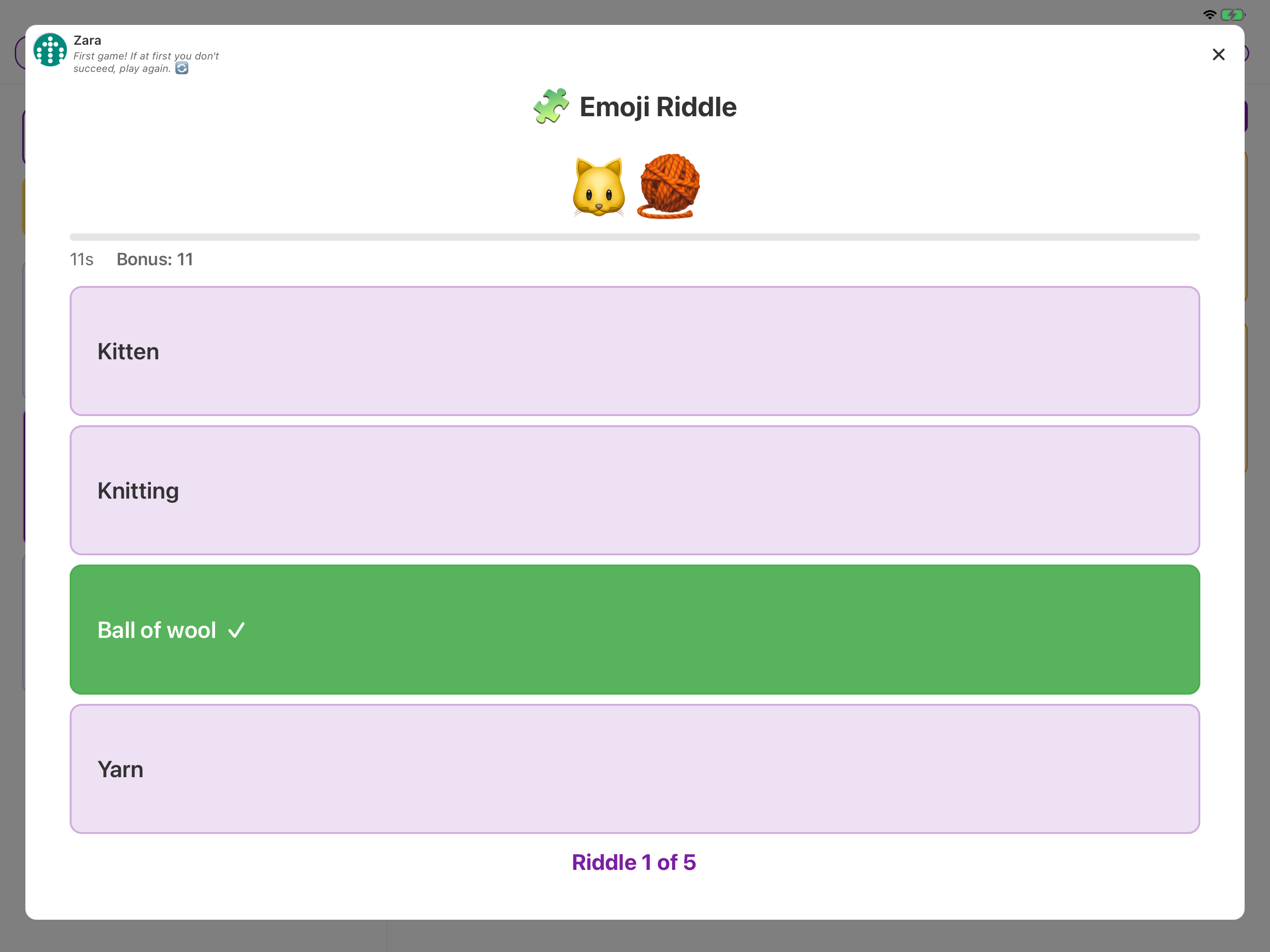
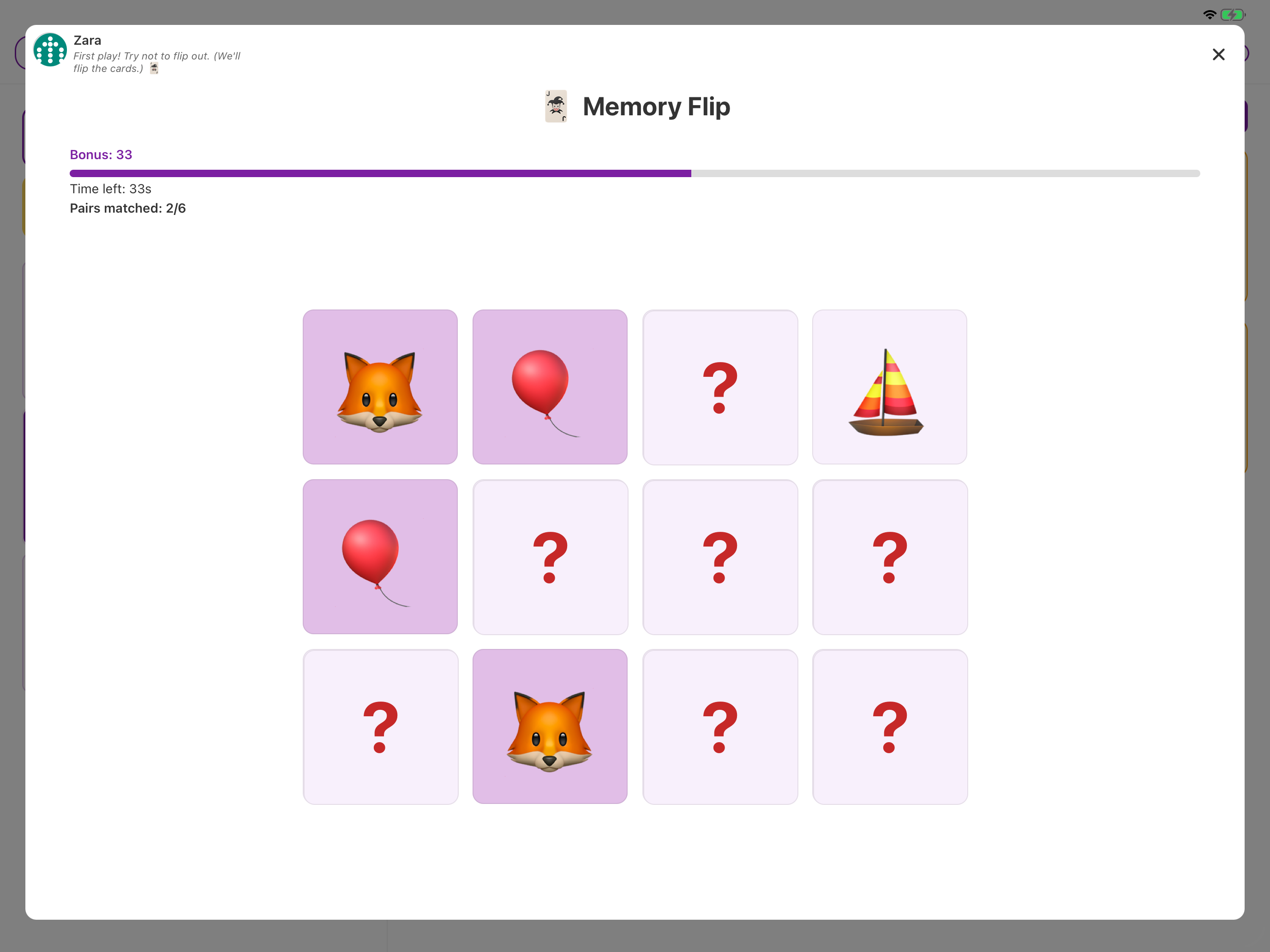
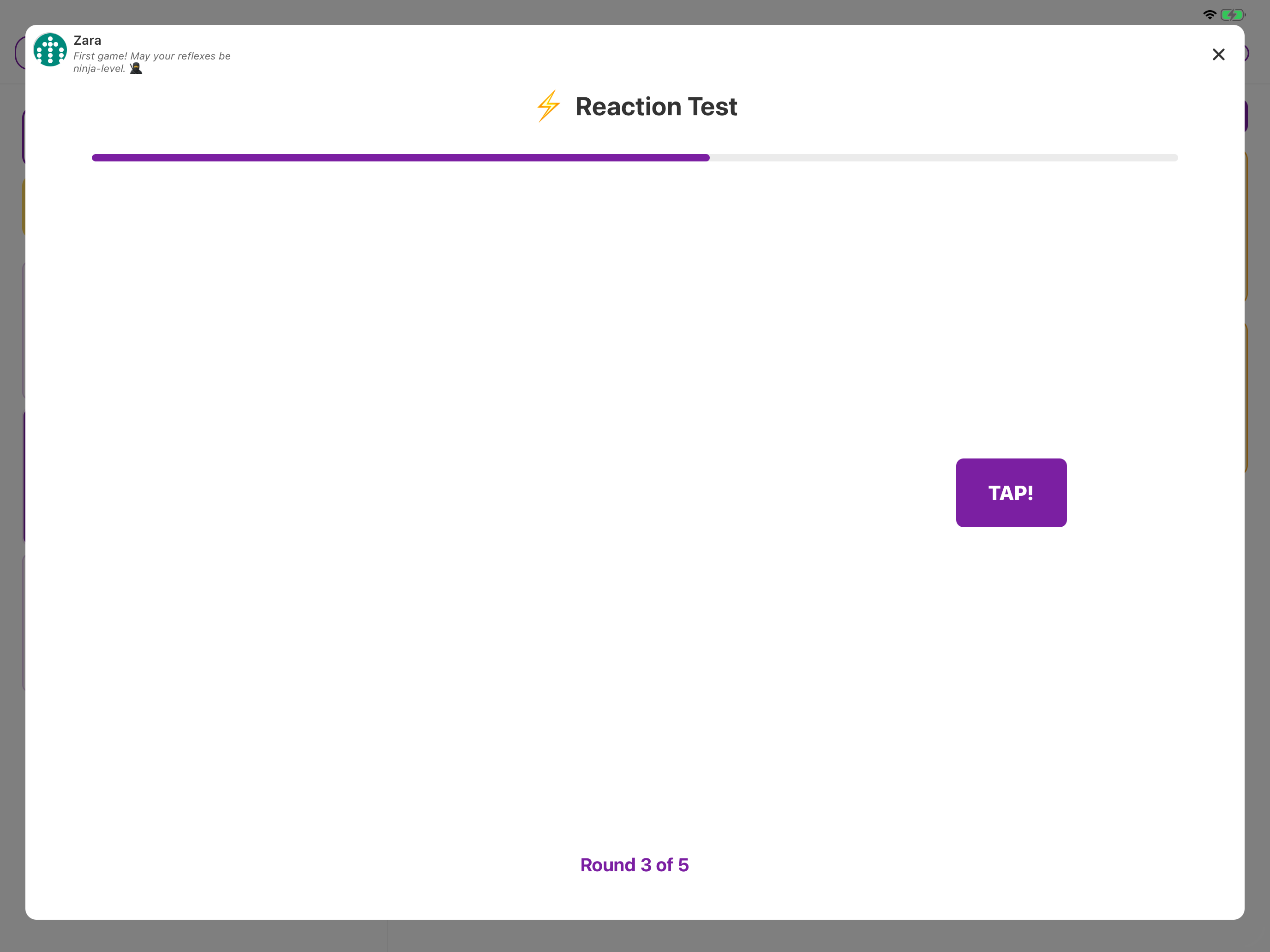
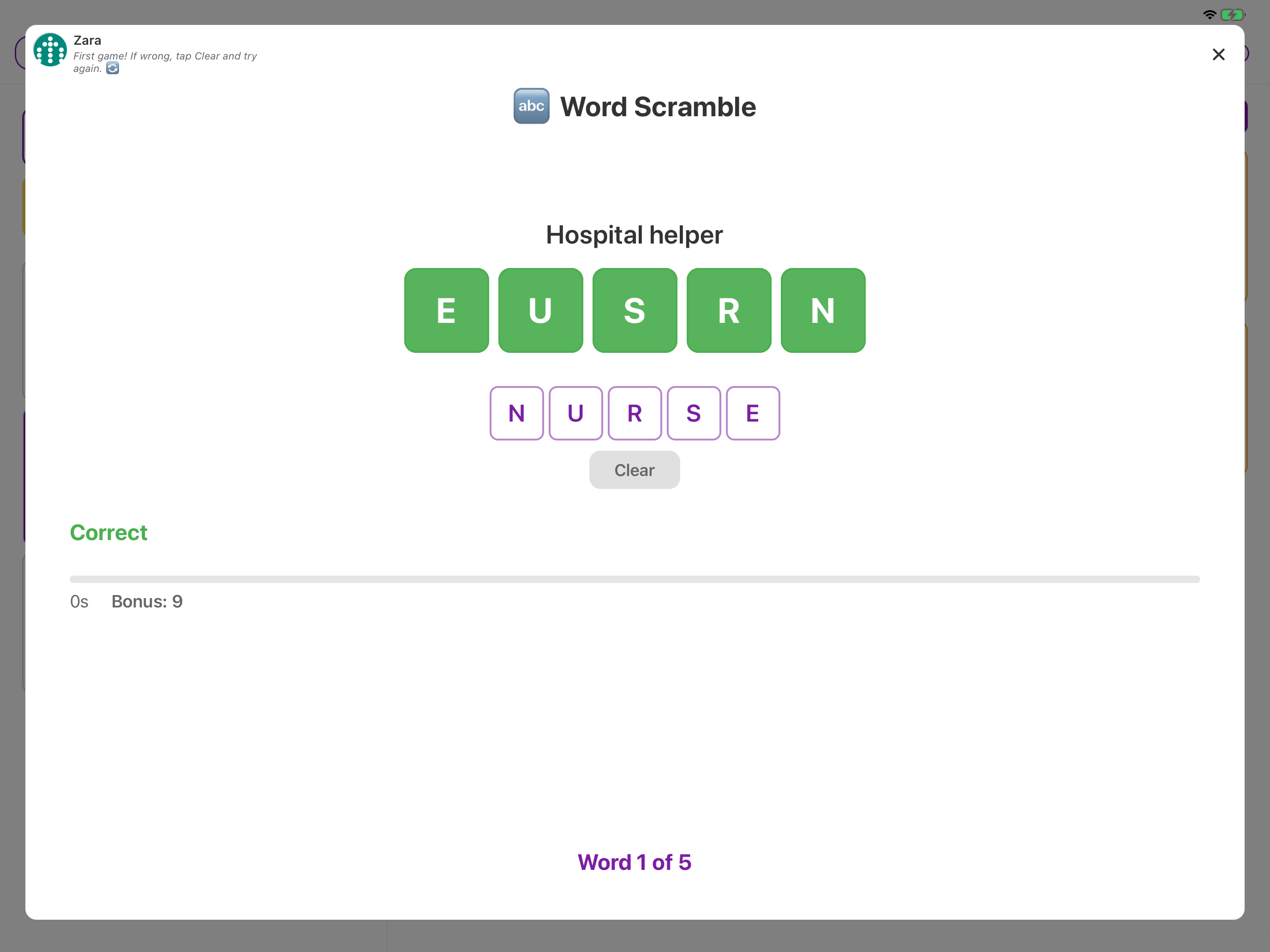
Six games included
These are ready to play on free.
Three more with Chorish Plus
You’ll see Copy Cat, Number Grid, and Word Hunt in Manage → Games even on free, with an Unlock badge. Playing them — and using them as today’s game — needs Chorish Plus. Plus also lets you add more time, give Memory Flip a two-second peek, or make quizzes a bit harder.
Pro tip: Take a round as a breather after chores — or let today’s game pick who does the dishes.
Frequently Asked Questions
Q: Do we need Chorish Plus to play games?
A: No. Six games are included. Copy Cat, Number Grid, and Word Hunt come with Chorish Plus.
Q: Do games need the internet?
A: No. Same as the rest of Chorish — they stay on your iPad.
Q: Who can change game settings?
A: The home owner, in Manage → Games. Extra options come with Chorish Plus.
Privacy
TopYour Data, Your Rules: 100% Private
Chorish is built for privacy from the ground up. Everything you do—homes, members, tasks, completions, and notes—stays right on your iPad. No sign-ups, no cloud storage, and no tracking. You’re in control, and your data never leaves your device.
Why Privacy Matters with Chorish
- No Sign-Ups Needed: Jump straight in—no accounts or emails required.
- Private by Default: All your data lives on your iPad. Nothing is sent to a server or the cloud.
- Instant Access: Open Chorish and get started immediately. No waiting, no loading screens, no forgotten passwords.
- Total Control: Delete your homes or export your data at any time—no need to ask permission or jump through hoops.
How It Works
- Everything Stays Local: Homes, members, tasks, and notes are stored securely on your iPad.
- No Tracking: Chorish doesn’t track your chores, sell your data, or show ads. Any analytics are anonymous and don’t include your chore data.
- Delete Anytime: Remove your homes or delete the app to erase everything instantly. Export first if you want a backup!
Example Use Cases
- Families: Keep your household info private—no risk of leaks or hacks.
- Roommates: No awkward sign-ups or shared accounts—just open and go.
- Teams: Try out Chorish without IT approval or onboarding headaches.
Bonus: Privacy is the default, not an add-on. You’re always in control.
Frequently Asked Questions
Q: Where is my data stored?
A: All data stays on your device. Nothing is sent to a server or the cloud.
Q: Do I need to sign up or create an account?
A: Nope! Just open Chorish and start using it.
Q: Can anyone else see my data?
A: Only people using your device can access your data. Nothing is shared online.
Q: How do I delete my data?
A: You can remove your homes from Manage Home, or delete the app entirely. Export your data first if you want a backup!
Free vs Chorish Plus
Start free on your iPad — upgrade once with Chorish Plus inside the app when your household needs more room to grow.
| Free | Chorish Plus | |
|---|---|---|
| Download | Free | Free (upgrade in app) |
| Households | 1 | Unlimited |
| People per household | 4 | 6 |
| Chores | 9 | 100 |
| Earn points | Yes | Yes |
| Reward shop & redeem | — | Yes |
| Goal Jar (family prize) | — | Yes |
| Streaks | Day streaks + Streaks board | Goals, freeze, print, history |
| Sticky notes | 3 (large) | Unlimited, all sizes |
| Calendar links | 1 | Unlimited |
| Reports | Today | Multiple days + export |
| Automatic chore rhythm | Daily | Daily or weekly |
| Clock styles | 2 | All |
| Certificates | 3 designs | Full collection |
| Custom chore icons & colours | — | Yes |
| Games | Six games | Copy Cat, Number Grid, Word Hunt |
| Week | — | Monday-to-Sunday chart |
| Lists | 1 shared list (up to 10 items) | As many lists as you need, plus due dates |
| Private & offline | Yes | Yes |
| Subscription | No | No |
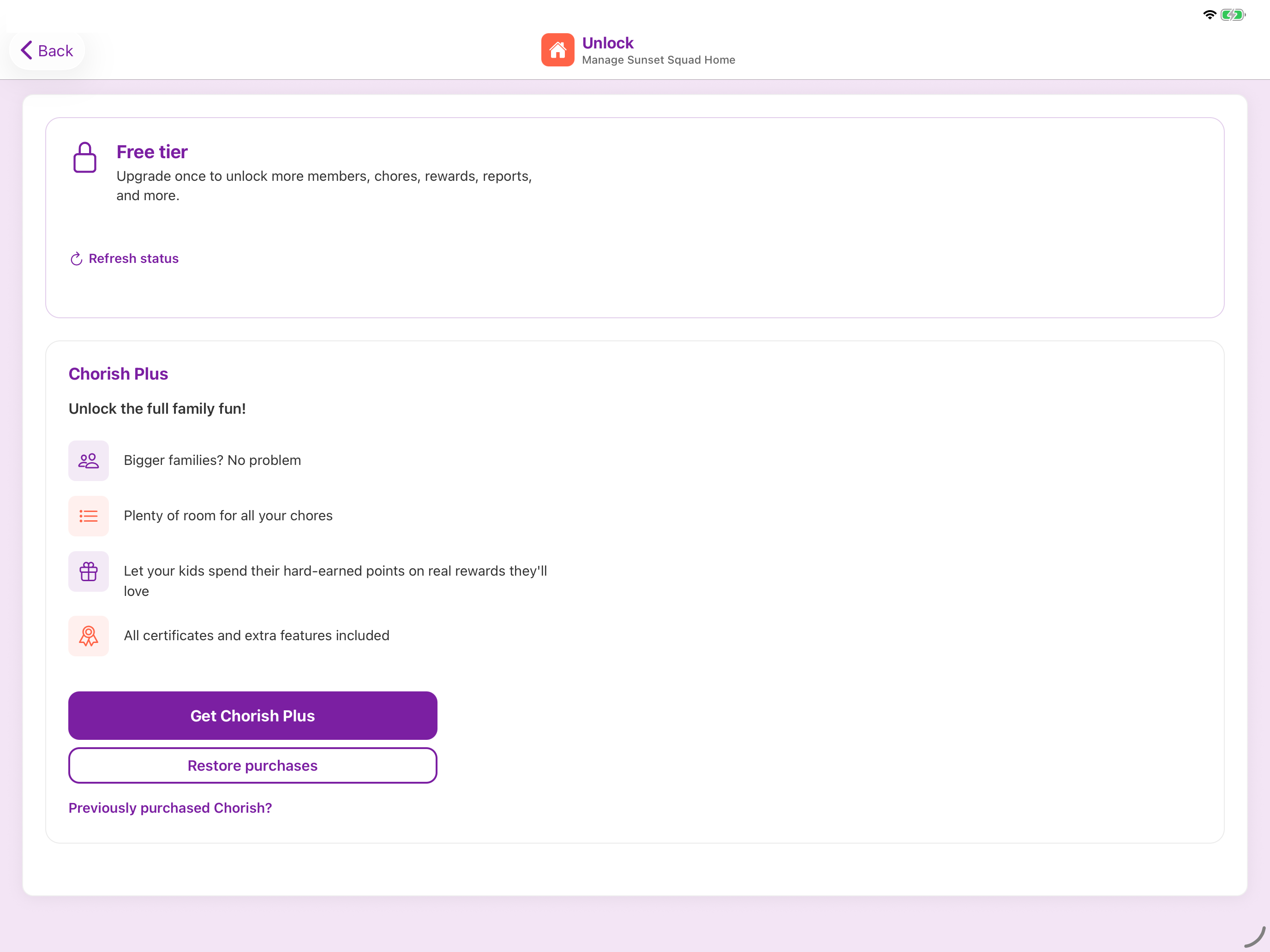
Unlock the full family fun!
- Bigger families? No problem.
- Plenty of room for all your chores.
- Let kids spend hard-earned points on rewards they'll actually want.
- Goal Jar — one shared prize the whole house works toward.
- Streak goals, a freeze for a tough day, and printable certificates.
- Three extra games — Copy Cat, Number Grid, and Word Hunt.
- Week — tick days off on a Monday-to-Sunday chart, and look back at earlier weeks.
- Lists — as many shared lists as you need, plus due dates.
- Certificates and extras — all included.
Chorish Plus is a one-time upgrade inside the app — no subscription, still private and offline on your iPad.
Chorish Plus available in the app when you're ready.
Ready to try it?
Download free on your iPad — private, no sign-ups, no subscriptions.